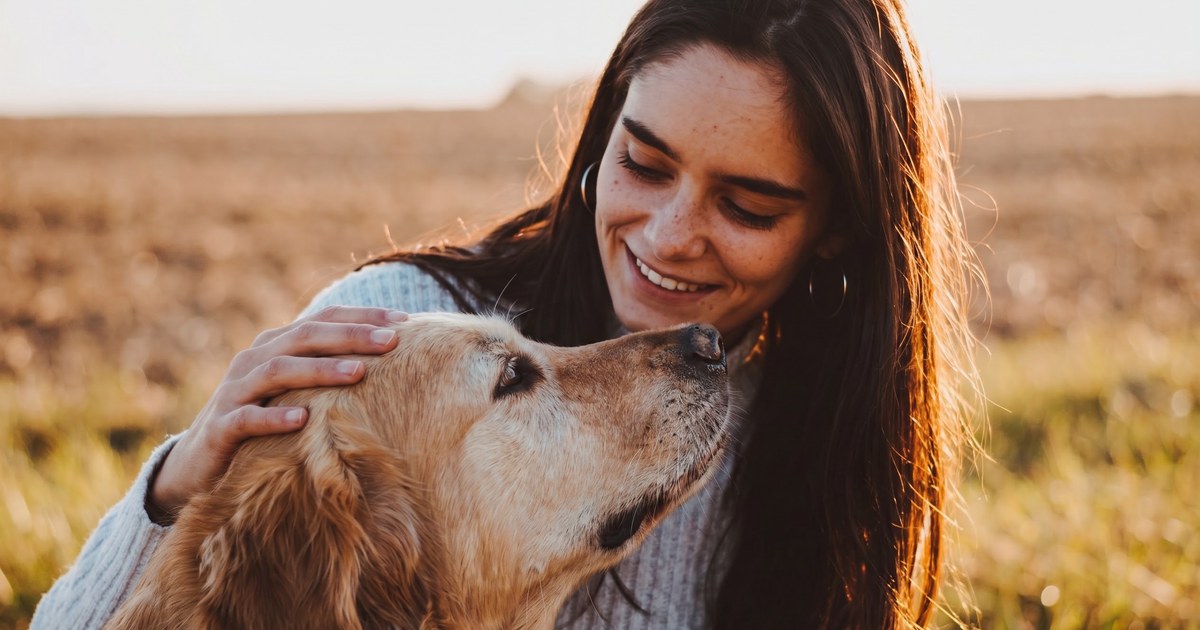
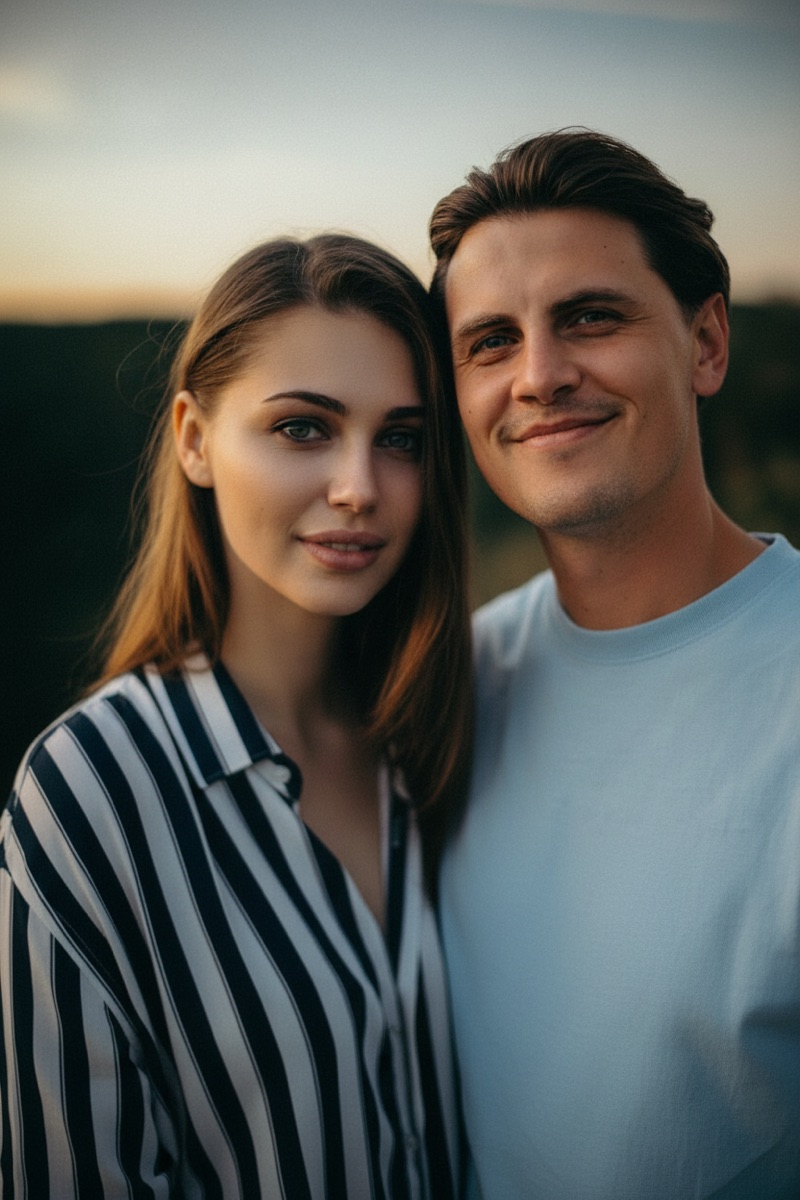
Most "best AI image combiner" lists are written from other lists. We did the opposite: we took the same two photos, wrote one prompt — "Combine these two people into one natural photo" — and ran it through eight tools ourselves, taking screenshots and checking pricing pages along the way.
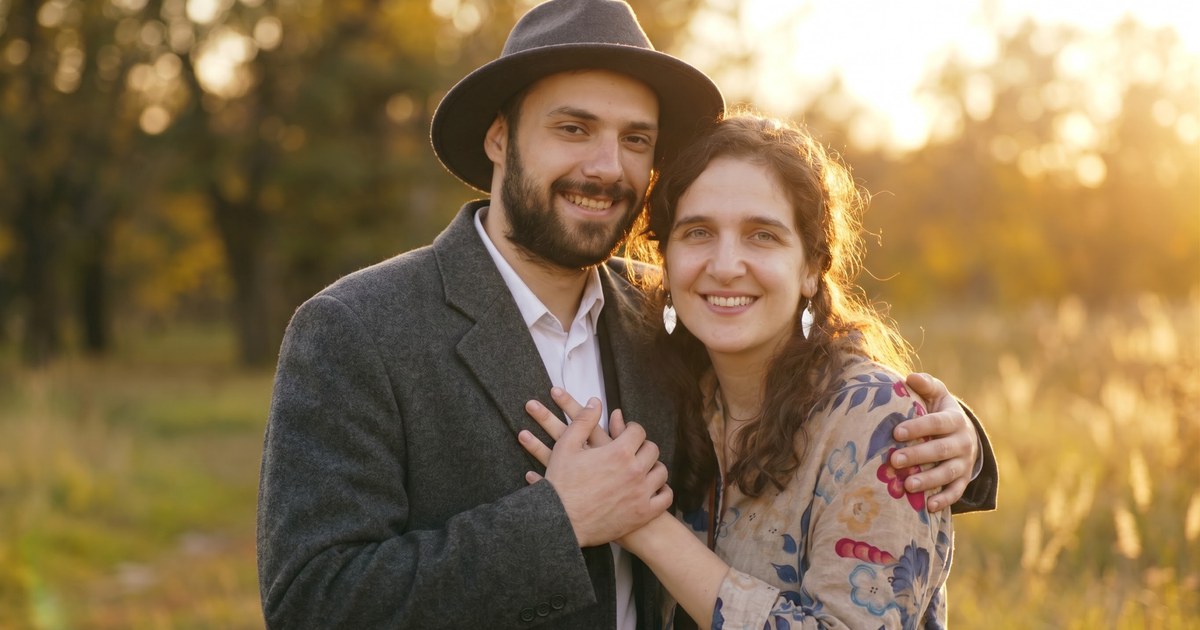
Here is what came out the other end of one of those tests:

One quick disclosure before we start: ImageCombiner is our own product. We build a dedicated tool in this exact category, so we included it in the test and held it to the same standard as everything else. We will point out where other tools genuinely do things better — that is the whole point of testing.
Quick Comparison: The 8 Tools at a Glance
| Tool | Best for | Free tier | Account needed | Starting price |
|---|---|---|---|---|
| ImageCombiner | Dedicated two-photo merging with presets | Free trial credits | Yes (free) | Free to start |
| VisualGPT | Instant anonymous blending | Yes, no sign-up | No | $8/mo |
| Google Gemini | Top-tier quality with a Google account | Yes | Yes | $4.99/mo |
| Adobe Firefly | Professional, commercially safe work | Daily free creations | Yes | $9.99/mo |
| Fotor | Multi-model AI editing suite | Limited credits, watermark | Yes | $3.99/mo |
| Canva | Designs built around your images | Yes (with limits) | Yes | $15/mo |
| Picsart | Manual double-exposure effects | Yes, watermark-free | No | $10.5/mo |
| Photoroom | E-commerce product photography | Yes (account) | Yes | $7.5/mo |
Pricing verified on official pricing pages, September 2026. Free tiers change often — check the current terms before you rely on one.
How We Tested
Every tool got the same inputs: two portrait photos shot in different locations and lighting, plus the same one-line prompt. We looked at four things:
- Face fidelity — do both people still look like themselves?
- Lighting match — does the result look like one photographed scene?
- Friction — how many steps (and sign-ups) stand between you and a download?
- Cost — what does the free tier actually get you, and what does the cheapest paid plan cost?


Two of the eight tools produced an actual merged photo during our anonymous test session. For the rest, we documented exactly how far the free experience goes — which, it turns out, is useful information in itself.
1. ImageCombiner — Best Dedicated Tool for Merging Two Photos
Full disclosure: this one is ours. We built it because we kept running into the same gap — general AI tools can merge images, but you have to learn prompting, pick models, and tweak settings to get a natural result. ImageCombiner does exactly one job: two photos in, one natural photo out.
Instead of a blank prompt box, you get purpose-built presets — Couple Photo, Family Photo, Product in Scene, Pet Photo, Travel Memory — each tuned for that specific merge. You can combine two images with AI right on the page: upload two photos, pick a preset, generate in 10–60 seconds, and download with no watermark. New accounts get free trial credits, and merging starts at 1K resolution with 2K and 4K options.
Keep in mind: AI blending requires a free account (credits are managed per account), and it is deliberately narrow — no canvas, no layers, no design suite. If you want to design around your merged image, pair it with one of the editors below.
Best for: anyone who wants a natural merged photo without learning prompt engineering.
2. VisualGPT — Best for Instant, No-Sign-Up Blending
VisualGPT's AI Image Blender was the smoothest anonymous experience in our test. No account, no login prompt — upload two images, type a prompt (the page pre-fills a solid 473-character blending prompt you can edit), and hit Generate.

Our test merge finished in about a minute and downloaded as a clean 832×1248 PNG with no watermark. The quality was genuinely good: both faces stayed recognizable, clothing carried over from the source photos, and the two different lighting setups were unified into a coherent golden-hour scene. There is a slight AI "beauty filter" smoothness to the skin, but the result is absolutely usable. The couple photo at the top of this article is VisualGPT's actual output.
Keep in mind: each generation costs 4 credits and the anonymous allowance is not published, so heavy users will hit a paywall eventually. Paid plans start at $8/month (100 credits).
Best for: trying AI photo blending right now, with zero commitment.
3. Google Gemini (Nano Banana) — Best Quality with a Google Account
Gemini's image model — known as Nano Banana — has become the reference point for multi-image blending, and for good reason: it is exceptionally good at keeping people, pets, and products recognizable while changing everything around them. Combining two photos is as simple as attaching both to a chat message and describing the result.

In our test session we were not signed into a Google account, and image upload requires one — so we documented the flow rather than the output. If you already live in the Google ecosystem, the free tier ($0, usage-limited) includes Nano Banana image generation and editing, which is remarkable value. Paid tiers start at $4.99/month (Google AI Plus) for higher limits.
Keep in mind: there is no anonymous path — a Google account is required before you can upload anything. Free-tier images carry a visible Gemini watermark plus an invisible SynthID marker.
Best for: Google account holders who want state-of-the-art blending quality for free.
4. Adobe Firefly — Best for Professional, Commercially Safe Work
Firefly surprised us in a good way: its image workspace accepts up to six reference images and defaults to partner models — including Google's Nano Banana 2 — alongside Adobe's own commercially trained Firefly models.
That combination is the real story here: you get top-tier generation models inside Adobe's workflow, with the licensing clarity commercial teams need. We uploaded both test photos and had the prompt ready to go before hitting the sign-up step — registered accounts get daily free creations, and paid plans start at $9.99/month (Standard, 2,000 credits).
Keep in mind: the web app is heavy — initial loads took 30–60 seconds in our session — and an account is required to generate. This is a professional tool that happens to do merging, not a quick merge utility.
Best for: designers, agencies, and e-commerce teams who need commercial-safe output and editing control.
5. Fotor — Best Multi-Model AI Editing Suite
Fotor has a dedicated AI Image Combiner page, and the flow is well designed: two reference image slots, a prompt box with a 3,000-character limit, and a Merge Images button that hands everything off to the full generator workbench.

The workbench supports multiple AI models (the page mentions Seedream, GPT Image, and Nano Banana), so you can pick the engine that fits your image. Generation itself requires a free account — the free Basic plan includes limited credits, with watermarked exports. Fotor Pro starts at $3.99/month billed annually, which removes the watermark and unlocks HD transparent PNG exports — one of the lowest entry prices in this list.
Keep in mind: free-tier downloads are watermarked, and the credit balance shown pre-login is small, so plan to either stay occasional or upgrade.
Best for: users who want one subscription covering merging plus a full photo editing toolbox.
6. Canva — Best When the Image Is Just the Starting Point
Canva takes a different philosophy: it is not an AI photo merger, it is a design platform where your photos become part of something bigger — a post, a poster, a thumbnail. Its AI tools (Magic Edit, BG Remover, Magic Eraser) are built for editing pieces of an image rather than fusing two photos into one scene.

We were impressed that the photo editor opens in full guest mode — we uploaded a photo and had the entire adjustment toolkit available with no account. Multi-image work and exports sit behind a free sign-up, and the AI editing features are part of Canva Pro ($15/month, or $180/year), which also unlocks the 141-million-asset library.
Keep in mind: if your goal is specifically "blend two photos into one natural-looking photo," Canva's manual canvas approach will feel like assembling it by hand. That is by design — it is built for layout, not generative merging.
Best for: creators who need the merged image inside a finished design, with templates and brand assets around it.
7. Picsart — Best Free Manual Blending, No Account Needed
Picsart does not have a one-click AI merge on the web, but it offers something none of the others did: a genuinely free, watermark-free export path with no account. We closed one dismissible sign-up popup and went straight to work.

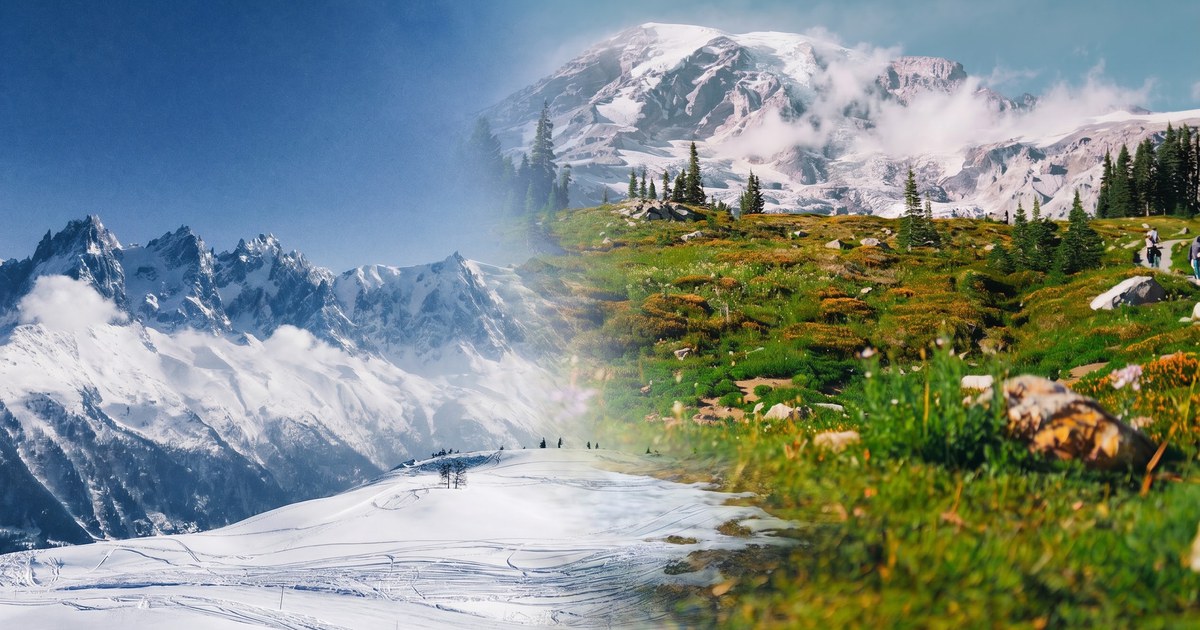
Its Double Exposure workflow uses classic blend modes — Multiply, Screen, Overlay and friends — to fuse two images artistically. Our test export (600×899 JPG, no watermark) shows exactly what that means: a stylized overlay rather than a semantic merge.

For double-exposure art this is a feature, not a limitation — and the learning curve is the price of that control. The AI-powered features (BG Remover, AI Enhance, AI Replace) live in Picsart Pro at $10.50/month billed annually.
Keep in mind: new uploads get a random effect auto-applied (ours came in with a Negative filter — undo it before you start), and anyone wanting a realistic two-person merge should pick an AI tool from this list instead.
Best for: artistic double-exposure effects and free no-account editing.
8. Photoroom — Best for E-Commerce Product Photos
Photoroom is a specialist, and proud of it: the moment you enter its workspace you see Product Staging, Fashion Models, batch editing, and Shopify catalog tools. This is an assembly line for product photography, not a general photo toy.

Its AI Backgrounds feature does for product shots what the other tools here do for people: take your product photo and generate a realistic scene around it, with matched lighting and shadows. The workspace requires a free account; Pro starts at $7.50/month billed annually (8,000 AI credits and 1,000 exports per month), with 4K resolution on the Max tier.
Keep in mind: the free tool pages sit behind a human-verification check, and the main app requires sign-up before you see anything — Photoroom is clearly optimized for sellers who will use it daily, not casual one-off visitors.
Best for: e-commerce sellers who need product-in-scene images at catalog scale.
Also Tested
Two more tools are worth a mention for specific niches:
- ImageCombiner AI — a dedicated merging tool with an unusually deep feature set: up to 9 source images, structured templates (couple photo, family portrait), 10 aspect ratios, and up to 4K output. Generation starts at about 5 credits per image after a free Google sign-up; credit packs start at $4.49. (Note: an unrelated site with a similar name — it is not affiliated with imagecombiner.net.)
- Facy — primarily a face-swap and head-swap toolkit whose image-to-image mode accepts two photos plus a prompt. If your real goal is face-centric edits rather than scene merging, its specialization may suit you; the free tier includes unlimited mid-quality processing.
Which AI Image Combiner Should You Choose?
Eight tools, eight different philosophies. Match the tool to the job:
- "Just merge my two photos into one natural picture" → ImageCombiner for preset-guided merging, or VisualGPT if you want to try right now without an account.
- "I want the best possible quality and I have a Google account" → Gemini's Nano Banana.
- "This is for client work / my store / an ad campaign" → Adobe Firefly for commercially safe workflows, Photoroom for product catalogs.
- "I need the merged image inside a social post or poster" → Canva.
- "I want an artistic double exposure, free, no sign-up" → Picsart.
- "I want merging plus a full editing suite on a budget" → Fotor.
Frequently Asked Questions
What is the best AI image combiner in 2026?
It depends on the job. For dedicated two-photo merging with guided presets, ImageCombiner is purpose-built for exactly that. For raw model quality, Google Gemini's Nano Banana is the current benchmark. For commercial work, Adobe Firefly adds licensing clarity and pro editing controls.
Is there a free AI image combiner with no sign-up?
Yes — VisualGPT's AI Image Blender let us upload two photos, generate, and download a watermark-free result with no account at all. Picsart also allows free watermark-free exports without an account, though its blending is manual rather than AI-driven.
Can AI combine two people into one photo?
Yes. Modern image models can take two separate portraits and generate a single photo where both people appear together in one scene, with matched lighting, scale, and skin tones. The clearest results come from well-lit, front-facing source photos — see our test photos above for the kind of input that works well.
Do AI image combiners add watermarks?
It varies by tool and plan. VisualGPT and Picsart gave us watermark-free downloads for free; ImageCombiner never watermarks results. Fotor's free tier watermarks exports (removed on paid plans), and Gemini's free tier adds a small visible mark. Check the current terms before a big project.
Can I use AI-combined images commercially?
Generally yes on paid plans — Adobe Firefly is explicitly built for commercial safety, and most tools grant usage rights on paid tiers. Always confirm the plan's license terms, and make sure you have the rights to the source photos you upload.
How is an AI image combiner different from a collage maker?
A collage maker arranges photos side by side in a layout — every source photo stays intact. An AI image combiner generates a brand-new image where subjects from different photos appear together in one coherent scene. If you want the collage version, our side-by-side tool does it free with no sign-up.
Try It Yourself
Reading about merging is one thing — seeing your own two photos become one is another. Pick any two portraits and combine two images with AI: free trial credits, no watermark, about a minute from upload to download. And if you are still deciding, our step-by-step guide on how to combine two photos into one covers both the free side-by-side method and the AI approach.
Test methodology note: all tools were tested on September 5, 2026, in an anonymous browser session using identical source photos and prompts. Pricing and free-tier limits were captured from official pages on the same date and may have changed since.